Maybe Matilda: tech
Showing posts with label tech. Show all posts

Tuesday, December 22, 2015

Forrest's New Favorite App: Curious World

This post was sponsored on behalf of Curious World via One2One Network. All opinions stated are my own.

It’s been quite a while since I’ve shared our favorite educational apps, and there’s a reason that I haven’t had any new app recommendations to share . . . we had a long streak of struggling to find great new ones! My kids (especially Forrest) love playing on tablets, and I am happy to indulge that love, especially if the games and apps they use have some sort of educational benefit.

But it can be really difficult to find great learning apps that you, as a parent, will feel really comfortable letting your kids use.

Today, I want to share our experience with a new educational app called Curious World.

curious world app

The short story: Forrest absolutely loves this app and actually has not wanted to play with any other apps on our iPad since downloading this one. I’m so happy with it and am thrilled that he wants to play with it so much, since I think it is fantastic.

The longer story: Curious World has a huge library of early learning activities specifically tailored to kids ages 3-7. The content is tailored to your child’s age, so you know everything they see will be age-appropriate for them. It can be used on iPads and iPhones, and offers a wonderful variety of games, videos, and books.

No big surprise what my favorite feature is, right? THE BOOKS. The app lets him choose from an
awesome library of books (some older favorites, such as Curious George classics, and plenty of great
newer releases, too!), and it reads aloud to him as he flips through the pages. Honestly, I would get the app for this feature alone!

I love that it reads aloud to him, but we also have the option to turn off the audio and read books together. There are recent books on here that I’ve been trying to track down at our local libraries and haven’t been able to find, so I’m really excited that it has such an amazing selection.

curious world app

There are also all kinds of wonderful games that teach letters and spelling, language skills, math, animals, science, and more. Many of the games feature Curious George, which is a major bonus for my kids, since they are both obsessed with George.

One of Forrest’s favorite features, and the one I see him exploring most, is the video section. Curious World has all sorts of awesome kid-friendly videos about everything under the sun: stories, crafts and experiments kids can do at home, National Geographic features on cool animals like stingrays and tigers, simple explanations of scientific ideas like weather, animal habitats, and evaporation, plus exercises kids can do at home . . . there are so many videos on such a huge variety of topics, and Forrest loves watching them.

One video Forrest particularly loved was all about making DIY shadow puppets at home.

curious world app

I saw him watch it a few times in a row, then he came to me and listed out everything he’d need to make them himself, and explained to me how to do it. He was so excited to make his own shadow puppets and put on a puppet show. We made these puppets together based on the video.

curious world app

Awkward smile, because he was so excited to play with them and didn’t want to stop for a picture!

diy shadow puppets

I never would have thought of making shadow puppets together, but he was really eager to make them
after watching the video. As I’m typing this up, he and Darcy have been putting on shadow puppet shows for over an hour. OVER. AN. HOUR. This is awesome. Not only does the app entertain him and teach him new ideas and skills, but it prompted him to do a creative activity we wouldn’t have done on our own, and he’s having an awesome time imagining stories to act out with his shadow puppets.

For those of you with kids in the 3-7 age range who are interested in a really extensive educational app for your kids, I totally recommend Curious World. It is a subscription service, but you can sign up for a 30-day free trial if you want to check it out before you commit! There are no advertisements at all, so you don’t have to worry about kids clicking something that will charge you extra, or take them to another site or app. Download in the App Store today! The collection of videos, games, and books is curated by global learning company Houghton Mifflin Harcourt, and new content is added weekly, so there’s always something new to check out. And there’s even a dashboard for parents so you can see what your content your child is accessing the most (like if they’re avoiding math activities and focusing on reading, or if they prefer books over games, etc).

I have been so, so happy with the app, and Forrest has, too. Gotta love an app that he is crazy about, and doesn’t even realize that he’s learning.

Saturday, November 22, 2014

6 Favorite Free Apps for Preschoolers

Tracking Pixel

Forrest is a tablet addict, no question about it. He’s been around for 4 years now, and I think it’s safe to say he’s been tablet obsessed for, oh, probably 3 of those years. At a minimum. When he gets up every morning, the tablet is the first ‘toy’ he goes for, and extra tablet time has become his reward for good behavior or trying a new food at dinnertime (and it might go without saying that losing tablet time is his most feared punishment). So I’m excited to share some of his favorite apps today in this sponsored post for Microsoft.

This tablet passion is a love I am happy to encourage. I love that he can play on the tablet by himself and feel so independent, that it keeps him entertained for such a long time (I can only build Legos with him for so long, I tell you), I love that they are easy to transport, and that there are so many fantastic apps out there to help him learn and develop. Downloading a new free app or game is almost always his preferred reward for good behavior, so we cycle through apps pretty regularly. I thought today I’d share 6 free apps that he’s been enjoying lately, that I think are awesome for a preschooler. Of course, he also loves silly and totally mindless games, but I’m trying to impress you here, of course, so I’m sticking with the ones that, as a parent, I think are the best and am eager to have him play.

Our 6 favorite free apps for preschoolers.

Wonster Words This cute app covers phonics, letters, and everyday vocabulary, as well as a short silly monster video for each word. I think the monsters are adorable, and Forrest thinks they’re hilarious. I love that he drags and drops each letter into place for each word—I’m sure that practice will help him with spelling when he gets to that point.

Funbrain Jr. is one of our more recent downloads, but I’ve been impressed with it so far. Five cute monster-themed games teach counting, matching, letters, and shapes. The games are fun and attention-grabbing for young players, and the graphics are really cute, too.

Bitsboard Preschool isn’t the least bit flashy or cute like a lot of other apps out there, but it has so much great content—and I mean tons of content. A lot of ‘free’ apps have such a limited selection of activities if you aren’t willing to pay up for more, but this awesome app has puzzles, tracing, flashcards, matching, spelling, bingo, memory games, and more for tons of different categories (like animals, colors, letters, and even emotions and concepts like ‘across’ and ‘below’). It’s not very eye-catching, but it’s a really impressive learning app with so much content.

Music Matching with Lisa Loeb has the cutest graphics, if you ask me. It’s a simple matching/memory game featuring tiles of cartoon animals playing instruments, so kids are matching the image on the tiles as well as the little sound/tune that plays when the image appears. I love the musical component in this app.

Paint Sparkles For longevity, you sure can’t beat a painting/drawing app. We’ve had this one on various phones/tablets for years now. Darcy enjoys it at 1 year old (it’s just about the only app that catches her attention, other than staring at herself in the front-facing camera—humility, thy name is Darcy), and at 4 years old, Forrest still plays with it fairly regularly. A favorite feature is snapping a picture of himself with the tablet’s camera, then coloring on top of it.

Puzzingo I certainly can’t write about Forrest’s favorite apps without including this one, which has been his long-time favorite for months now. Truth be told, I think it’s obnoxious . . . but maybe I only think that because I’ve been hearing the theme music day in and day out for months. This app comes with quite a few fun puzzles, but also has a new free puzzle download every day. And as tired as I am of this app, I have to give it some credit—he’s learned lots of new words from the puzzles. His most recent vocab acquisition: villain, from a superhero puzzle.

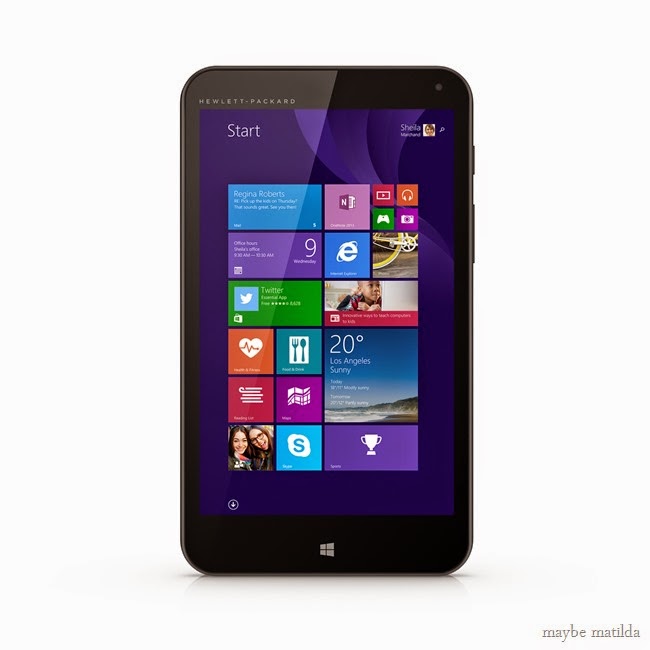
awesome deal on the HP Stream tablet!

If you don’t have a tablet yet, want to get an additional one specifically for the kids to use, or think a tablet would be an awesome gift for someone you love this season, you certainly don’t have to break the bank when tablet shopping. The HP Stream 7 Signature Edition Tablet is available right NOW at Microsoft Store or MicrosoftStore.com, pre-Black Friday, for only $99! And it even comes with Office 365 personal (with Word, Excel, PowerPoint, Outlook) and 1TB of OneDrive online storage, which is a $69.99 value, all for FREE.

You can find the HP Stream 7 Signature Edition Tablet in the Microsoft Store at this awesome price before Black Friday. Hello, that sounds wonderful to me, because I am not one of those enthusiastic shoppers who hops out of bed at 3AM to snag Black Friday deals. No and thanks. Go ahead and purchase it at this awesome price before the holiday shopping madness sets in, and scratch one awesome present off your Christmas list!

 awesome deal on the hp stream tablet!


This is a sponsored post written by me on behalf of Microsoft. Thank you for supporting Maybe Matilda sponsors!

Related Posts Plugin for WordPress, Blogger...